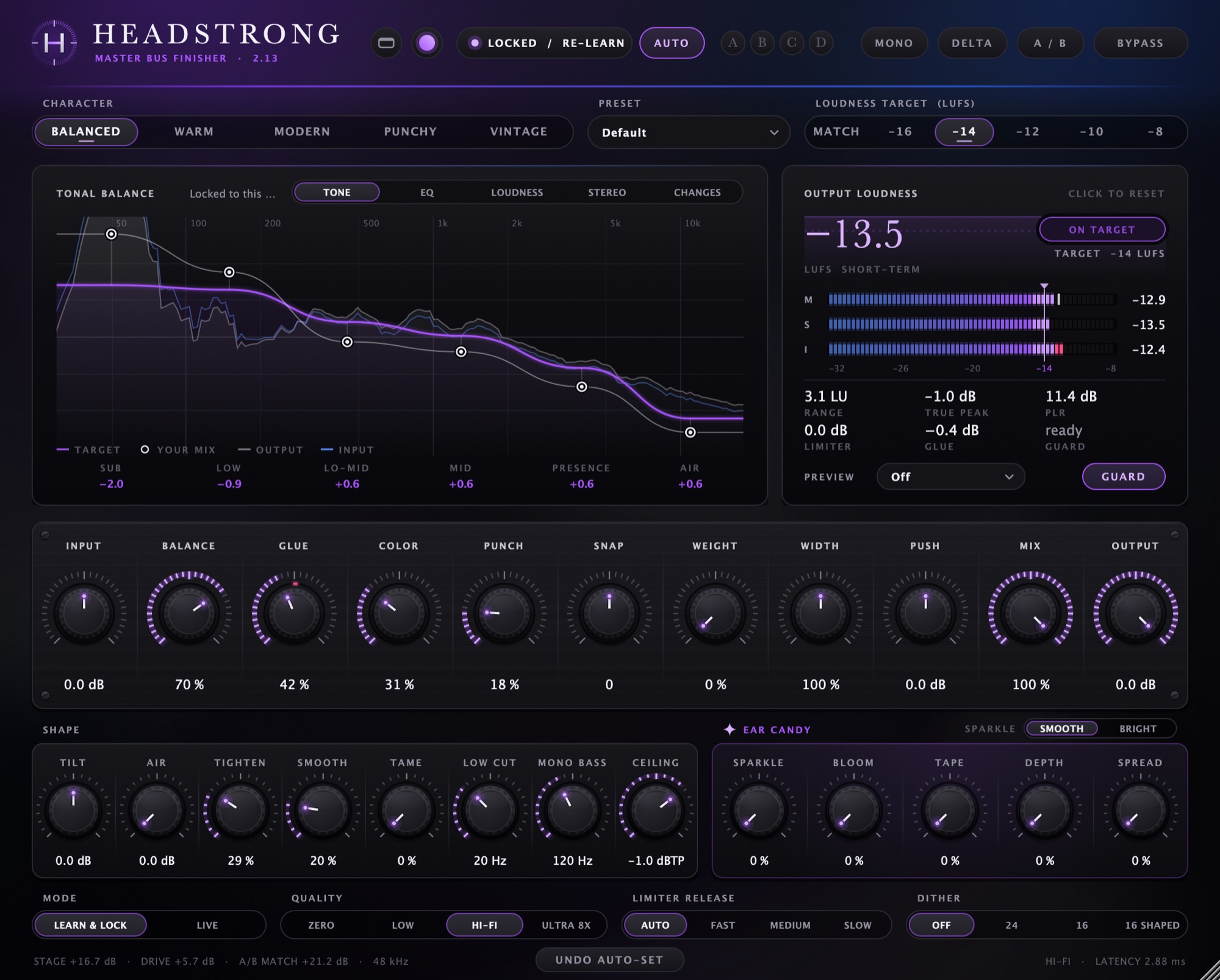
Main controls
Character sets the overall voicing: Balanced, Warm, Modern, Punchy or Vintage.
Loudness target is Match (keeps your mix's own loudness) or −16, −14, −12, −10 or −8 LUFS.
Below those are Input, Balance, Glue, Color, Punch, Snap, Weight, Width, Push, Mix and Output, plus tone shaping (Tilt, Air, Tighten, Smooth, Tame, Low Cut, Mono Bass, Ceiling) and a set of extras for shine and depth.
Checking your work
- Mono to check how the mix folds down
- Delta to hear only what Headstrong is changing
- A/B to compare with your original at matched loudness
- Bypass, latency-aligned, so switching doesn't jump in time
- A B C D snapshot slots, saved with the session
Presets
Ten starting points: Default, Gentle Master, Pop Polish, Hip-Hop Weight, EDM Loud, Rock Glue, Acoustic & Vocal, Lo-Fi Warmth, Wide & Airy and Transparent.
A preset only changes the sound. Your loudness target, ceiling and other settings stay where you put them. Each one was tested to land within 1 LU of the target with true peak at or below the ceiling.
Skins and compact view
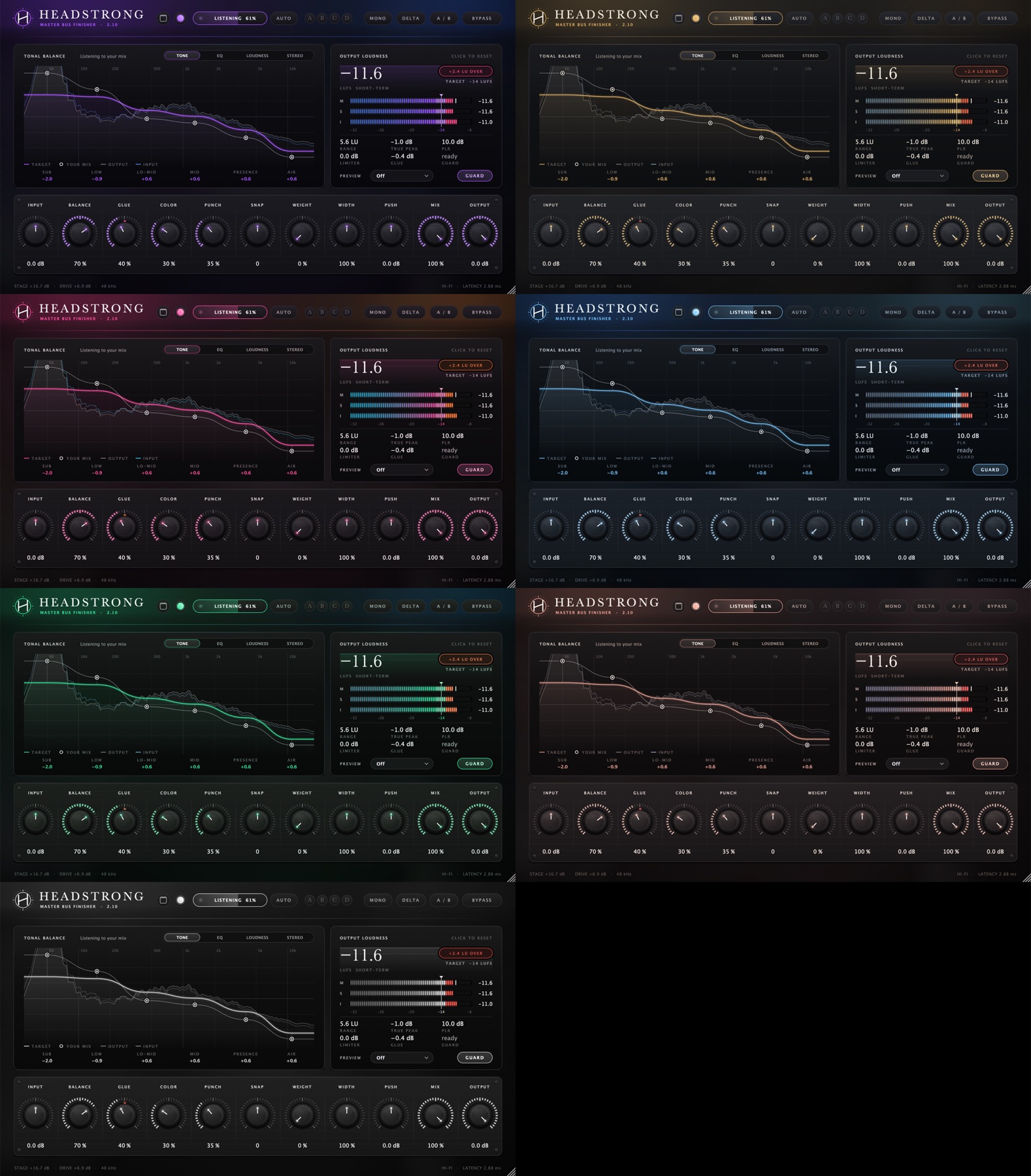
Seven colour schemes: Neon, Classic Brass, Synthwave, Midnight Ice, Emerald, Rose Gold and Graphite. The compact view shows just the display, meters and main knobs.
Buy Headstrong
$49. Instant download, free 2.x updates, use on up to three of your own computers.